This time, we will explain in detail about pinetwork’s KYC (Know Your Customer: Identity Verification). KYC is a procedure to prove that people participating in pinetwork are real humans. If you do not complete KYC, there is a possibility that you will not be able to use π (Pi), the currency of pinetwork, in the future.
The deadline for KYC application was set in July 2024.
→Please apply by the end of December 2024.
→Postponed until the end of January 2025.
→Postponed until the end of February 2025.
Details of the deadline here
https://pinetwork.masters-all.com/pi-network-kyc-mainnet-migration-grace-period/
The KYC application method and points to note are as follows.
How to Apply for KYC
Identity verification is performed to transfer the Pi coins you have accumulated so far to your main wallet. By verifying your identity, it is a necessary process to exclude coins accumulated fraudulently and allow only those who have accumulated coins through legitimate means to receive them. The condition for applying is that you must have performed mining operations 30 times or more. If someone who has mined less than 30 times applies, it seems to display that the capacity is full.
The identity verification process is conducted through a random lottery from the Pi Network app, and identity verification is performed randomly for those who receive a notification. You need to complete it within 15 minutes of receiving the notification, and if you miss the notification, you need to wait for another notification. Since notifications are sent completely randomly, please hope that it arrives at a good time.
An identification document is required for identity verification. (Minors are not allowed)
The identification document can be either a passport, My Number Card, or driver’s license.
When performing identity verification, you need to enter the name written on your identification document.
Passport → English notation
Driver’s License / My Number Card → Japanese notation
How to do KYC
Once you receive a notification, please proceed as follows.
Launch PiBrowser and tap kyc.pi in the bottom left.
From this screen, follow the instructions to proceed with identity verification.
Although it is in English, it is not that difficult with the pictures, so I think anyone can proceed.
Since an identification document is required, it is a good idea to have it ready to take out immediately so that you are prepared whenever a notification arrives.
If you tap without receiving a notification, a screen like this will appear.
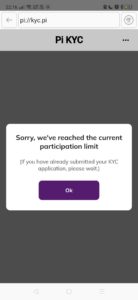

This means that identity verification cannot be performed until a notification arrives.
Please perform the operation when a notification arrives.
The KYC application method is as follows:
- Install the Pi Browser app and tap kyc.pi.

- Select your nationality and the type of identification document (either driver’s license, My Number Card, or passport).
- Take a photo of your identification document with your smartphone and enter your name, gender, date of birth, address, certificate number, etc. Make sure it is clearly visible in a bright place. Also, pay attention to the shooting orientation.
- Perform “Identity Verification” with a self-recorded video. Follow the on-screen instructions to move your face or smile. Please be careful not to include other people in the video.
- Perform a final check after data processing. Confirm whether the entered information is correct and submit.
This completes the KYC application. The review may take several days to several weeks. The review result will be notified via the pinetwork app. (It took the administrator 1 year and 2 months for the review.)
Please refer to this video for the specific method of KYC.
KYC Application Requirements
To apply for KYC, you must meet the following conditions:
- You are eligible for the KYC procedure. KYC is based on a random order system, and you can apply when “You are eligible for the KYC procedure” is displayed when you launch the app.
- You are 18 years of age or older. KYC cannot be done by people under 18.
- You have an identification document (either a driver’s license, My Number Card, or passport). Health insurance cards cannot be used as they do not have a photo.
- You have installed the Pi Browser app. The KYC procedure is performed using the Pi Browser app.
- You have mined 1π. The KYC procedure incurs a fee of 1π. The fee is charged when π is transferred to the mainnet.
Points to Note for KYC
There are several points to note when applying for KYC. They are listed below:
- Once you are eligible for KYC, if you do not start the procedure within 15 minutes, it may be passed on to the next person. Starting the procedure does not take long, so be sure to do it.
- You can choose either a passport, driver’s license, or My Number Card as your identification document, but once selected, you cannot change it for a while. Also, health insurance cards cannot be used as they do not have a photo. Choose the appropriate document according to your name settings.
- When taking a photo of your identification document, make sure the edges are not cut off and fill the screen. If the text is unreadable due to light reflection or blurriness, you may not pass the review. Also, for the Middle Name field, leave it blank if you are Japanese.
- When recording a self-video, follow the on-screen instructions to move your face or smile. Shoot in a bright place so that your face is within the circle frame. When shooting the video, face recognition may work better if you shoot from a slightly wider angle rather than fitting your face perfectly within the frame.
- The KYC application incurs a fee of 1π. The fee is charged when π is transferred to the mainnet. If you pass the KYC review, you can choose whether or not to become a validator.
For Pi Network users whose KYC application is still showing “tentative approval“, here is good news! Pi Network has introduced a new “Liveness check” to resolve all tentative approval KYC statuses. This check will clear the KYC tentative approval status and enable migration to the mainnet. This time, we will explain the details of this new process.
What is a Liveness Check?
The Liveness check is a process to verify if the photo on your ID card matches the photo taken during your KYC application. This check is performed to confirm that the applicant is a real person and to enhance security.
Liveness Check Procedure
After submitting your KYC application, Pi Network will match the following data.
- Name
- Date of Birth
- Nationality
- Gender
If this data matches, Pi Network sends the photo from the ID card and the photo taken during the Liveness check to a “human reviewer”. The reviewer only checks the photo displayed on the ID card, and other information (e.g., name, address, etc.) is hidden for security.
Reasons why KYC becomes tentatively approved
If the photo from the Liveness check does not match the photo on the ID card, the KYC status is set to “tentative approval”. For example, if the photo on the ID card and the photo taken during the Liveness check do not look similar, or if there are significant differences in appearance. Conversely, if both photos match, KYC is automatically approved.
Solution for KYC remaining tentatively approved
If your status is tentatively approved, you will receive a notification from Pi Network for a “Liveness verification” notification. This notification will display the following message.
How to Perform a Liveness Check
Follow the notification and take a photo of your face using the camera. Follow the instructions displayed on the screen and perform the following actions.
- Look at the camera and smile
- Look right
- Look left
- Look up
- Look down
When these actions are completed correctly, “Liveness detection was successful” will be displayed, and the data will be automatically uploaded.
Time until KYC Approval
If the Liveness check is completed accurately, your KYC status will usually change to “Approved” within 1-2 weeks. Even if there is a mistake during the procedure, you will have another opportunity to perform the Liveness check again, so there is no need to worry.
Users in the tentative approval state should wait for the notification and follow the instructions to complete the Liveness check.
Overview of the KYC Process and Latest Information
KYC is an important step to authenticate your account on the Pi network and enable migration to the mainnet. Recently, many users have reported issues regarding “tentative KYC status” and migration delays. This status may be displayed when the necessary procedures have not been fully completed.
Causes of Tentative KYC Status
- Additional liveness check required.
- Submitted video or photos are unclear.
- Information on the document is inaccurate or incomplete.
Tips for Successful Liveness Check
The liveness check plays an important role in the KYC process. By paying attention to the following points, you can increase your success rate:
- Record the video in a bright lighting environment.
- Use a high-quality camera and ensure the video is clear.
- Enter accurate information that matches the content of the document.
Common Problems and Solutions
Many users are facing the following issues:
- Video or photos are blurry: Please use a high-quality camera and appropriate lighting.
- Document information is inaccurate: Please match the content written on official documents such as Aadhaar card.
- KYC procedure interrupted: Do not close the pop-up screen during the procedure and wait until it is completely finished.
Account Protection and Mainnet Checklist
After completing the KYC process, follow the steps below to protect your account and prepare for migration to the mainnet:
- Account protection: Ensure security by setting a password, updating your phone number, etc.
- Completion of Step 6 (Acknowledgement): Complete this step while waiting for the KYC result.
Joining Support Groups
If you are having trouble with KYC or technical issues, we recommend joining dedicated support groups for the Pi network. In these groups, you can receive advice and support from other users.
What if you don’t do KYC…?
If you do not apply for KYC, there will be the following consequences:
- You will not be able to use the π (Pi) you have mined and accumulated so far. Only those who pass KYC can have their π transferred to the mainnet and receive it.
- You will not be able to become a validator. Validators play a role in keeping the pinetwork network secure and can receive π as a reward for that.
- You will not be able to participate in the pinetwork community. Pinetwork is a decentralized platform built by real humans working together. If you do not do KYC, you will not be recognized as a member of it.
- Minors have no choice but to wait until they become adults. However, it is said that they are currently considering ways to allow applications through some method.
That concludes the explanation about pinetwork’s KYC. KYC is a necessary procedure to use π in the future. We have explained the application method and points to note in this article, but if you would like to know more, please feel free to leave a comment.
A blog post about the latest KYC information has been updated.
We have translated it, so please take a look for reference.
https://pinetwork.masters-all.com/2023-kyc/
There are also tasks to do after passing the KYC review.
Please see this article for details.
https://pinetwork.masters-all.com/kyc-after/
KYC申請後、非承認(赤文字)になり動きがありません、この際はどの様な手続きがいりますか?
コメントありがとうございます 非認証の理由にもよりますがサポートチームに問い合わせて不服申し立てする方法があるようです。
ありがとうございます。
身分証が何回もやり直しになるので送っていたら急になりました。
不服申し立ては行っていますが、なにもなしです。。
不服申し立てされたのですね
同じような現象で不服申し立てされてる方がいると思いますので改善か回答がくる良いですね… それまで待つしかないのかもしれないです
初めまして♪こんなに詳しい説明ありがとうございます。2024年12月10日頃から始めておりますが・・年内30回行かないのでKYC間に合わないですよね?マイネングは毎日できますが、タイマーが止まっている状態です。これは止めてくれているのでしょうか・・
コメントありがとうございます 申請期限が年内というのは、ずっと前からやっている人の期限でして最近始めた方は当分先までの期限がありますので大丈夫です。 タイマーが動き出したらKYCの期限がとなりますので気にしたほうが良いです。 マイニングは継続しとくのがおすすめです
はじめまして、教えて下さい。
KYCへの申請は、完了し、審査中よ画面です。タイムリミット時計は、動いていまふす。もう、2ヶ月くらいにはなると思います。子供たちは、承認完了の返信が来ておりますが、私は、審査中のままです。
なにか、調べる方法とか、確認できるとか、もう一度申請するとか、手段は、ありますか?
状況がわからないので、心配です。
よろしくお願いします。
コメントありがとうございます。KYCは人によって早く終わる人もいれば年単位で終わる人がいます。私は1年以上待たされました。審査が終わってるかどうかはステータスを確認する程度しかできないです。申請の不備等があれば再申請等の案内がくるようですが、進捗がなければステータスは変わらないままとなってしまいます。申請すると自分のタイムリミットは止まると思いますが動いているのでしょうか?紹介者に対するタイムリミットと自分のタイムリミットは異なるので確認してみて下さい。
ミュートになってるのでKYC8が進まないのでしょうか?解除するにも罰金を払うのでしょうか?再提出も罰金を払うのでしょうか?こちらの落ち度や、運営の落ち度でも罰金を払うのでしょうか?
ミュートとはどういう状態でしょうか? 音は関係ありません。 KYCに関して必要なるお金は最初に払う1piのみです。再提出による罰金はありません。
チャットミュートですが、知りませんか?解除方法は無いと言うことですか?運営側の内容を見ても、マイナス面の回答は載っておらず困っています。他に探しても見つかりませんでした。チャット内で、中国語で『おやすみ』と入れミュート、ただ日本語で入れてもミュートされない。また、他の方が中国語で質問してもミュートされない意味が分かりません。運営(コアチーム?)に異議申立しないと駄目なのでしょうか?KYCはモデレーターさん(muteした人?)次第って事でしょうか?
チャットの方はたまに見る程度でそのような措置があるのは知らなかったです。ミュートに関しては、管理者の判断で決められてるのかと思われます。異議申し立てして通るかは不明としかいえないです。はっきりとせずすいません
その後、ミュートされるとKYC申請除外されるとの事をCTからメッセージあり。モデレーターさんの匙加減でKYCが滞る可能性も否定できないそうですって(苦笑)
じゃぁ、モデレーターさんの行った事で、詐欺になりかね無い話ですが。モデレーターさんの発言は一切公式の発言とはならないとも記載されていました。コミュニティで質問できないので、心配の方は、直にモデレーターさんに確認してみてください。三ヶ月以上同じ日本人に騙されてきたとは思いたくはないですが。
ミュートされるとそのような事があるのですね… ミュートされないよう発言を気をつけるようにした方が良いですね KYCと関係あるとは思わなかったです