Introducing “Picheck”, a useful auxiliary tool for operating a Pi node.
The purpose of this tool is to display the operational statistics and working environment of your Pi node in real-time.
Like the Pi node, it only needs to be running, so once installed and left alone, it’s a tool that automatically accumulates statistics. It can be operated in Japanese, making it easy to use software.
The administrator was taught about this software in the community and is introducing it after using the tool for half a month.
I believe this is a necessary tool for those aiming for stable Pi node operation.
(Please note that any issues caused by the software are at your own risk.)
This is Picheck compatible with the latest Pi node version.
If you were already using it, you can complete the update by downloading and Japanese localization again following the same steps below.
→ Frequent version updates are performed, and the latest version Ver19 was released on March 1, 2025.
Software Screen
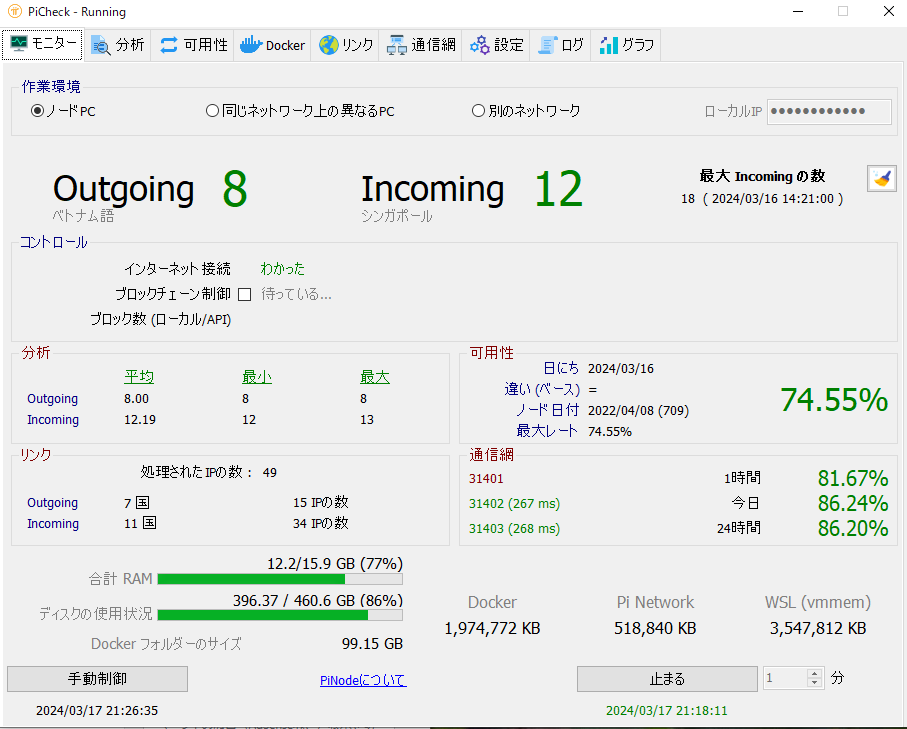
As shown above, basic information such as Outgoing/Incoming, PC load percentage,
RAM and disk capacity, and port forwarding status are displayed in real-time.
You will be able to notice any problems immediately.
Installation Method
① Access the distribution site
Access github where the tool is distributed.
https://github.com/muratyurdakul75/picheck
② Download the program
Download the latest version of the program.
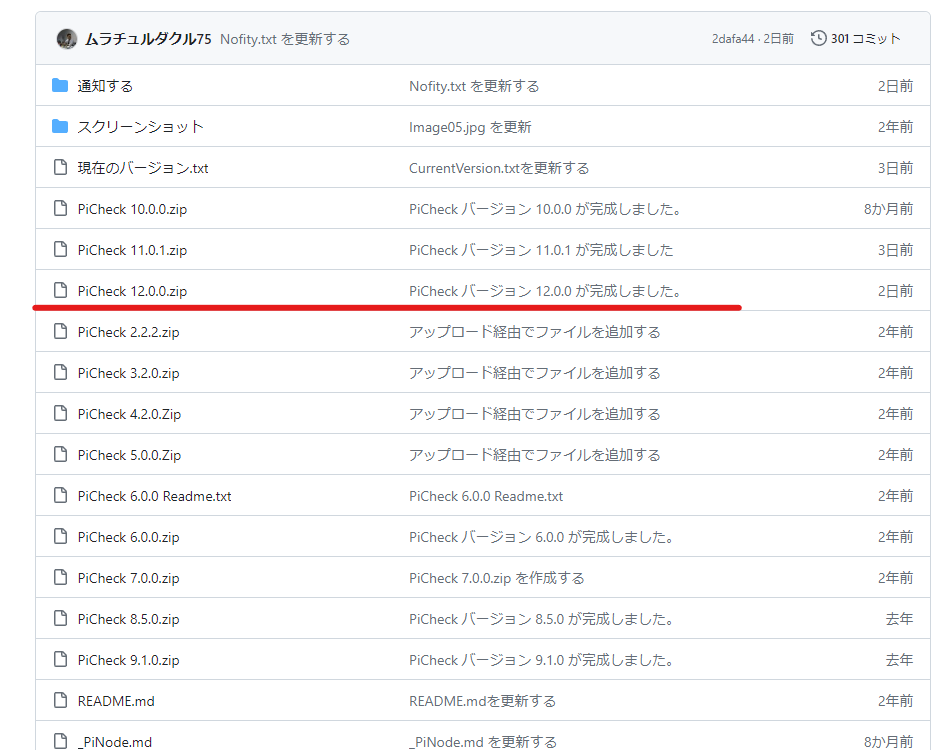
Click the blue line part of the screen displayed when you access the site below.
Please download the version with the newest date.
Below, 12 was the newest version of the software at that time.
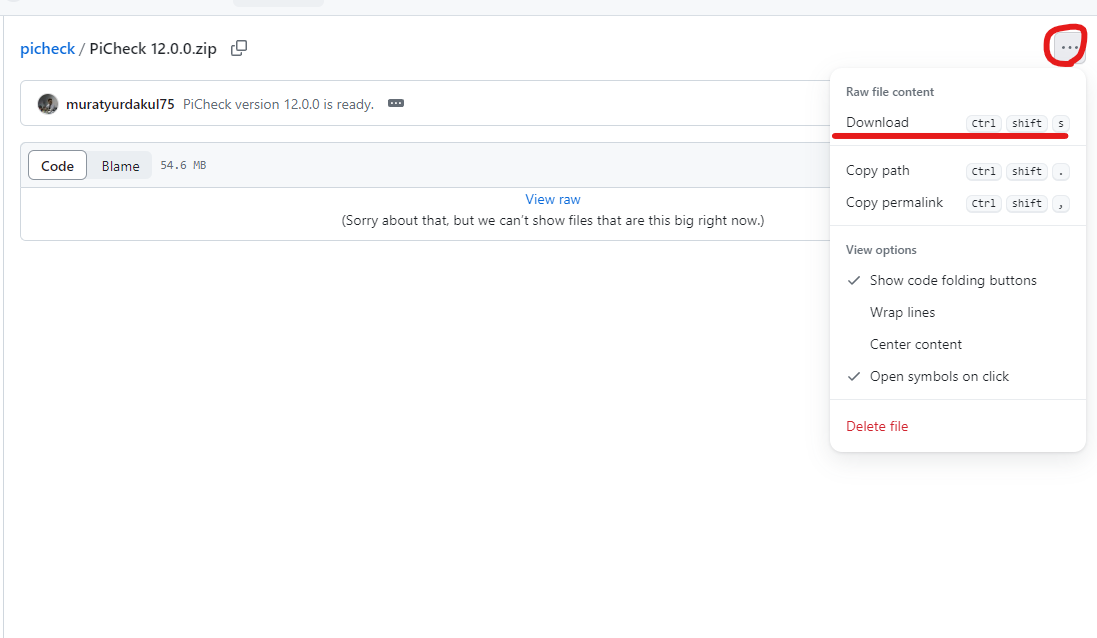
Press the red circle part below to download the program.
(Clicking will start the download automatically.)
As of the time of writing the article, the latest version is 12.0.
③ Extract the program
When the download is finished, a zip file will be saved.
Please extract that zip file to any location.
No installation or other operations are required.
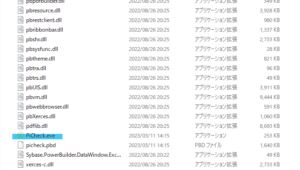
After extracting, open the folder and launch Picheck.exe.
④ Perform initial setup
It will start in English initially, so change the setting to Japanese.
(If you can read English, it’s fine as is.)
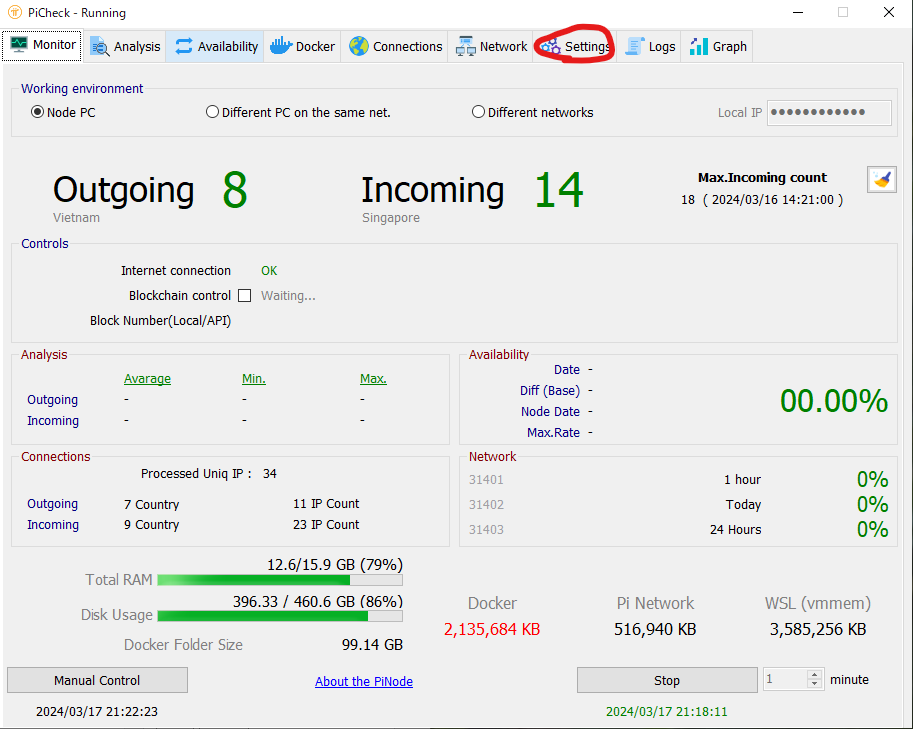
Initial startup screen
Initially, no statistics are collected, so all values are 0.
Click Setting displayed at the top of the screen.
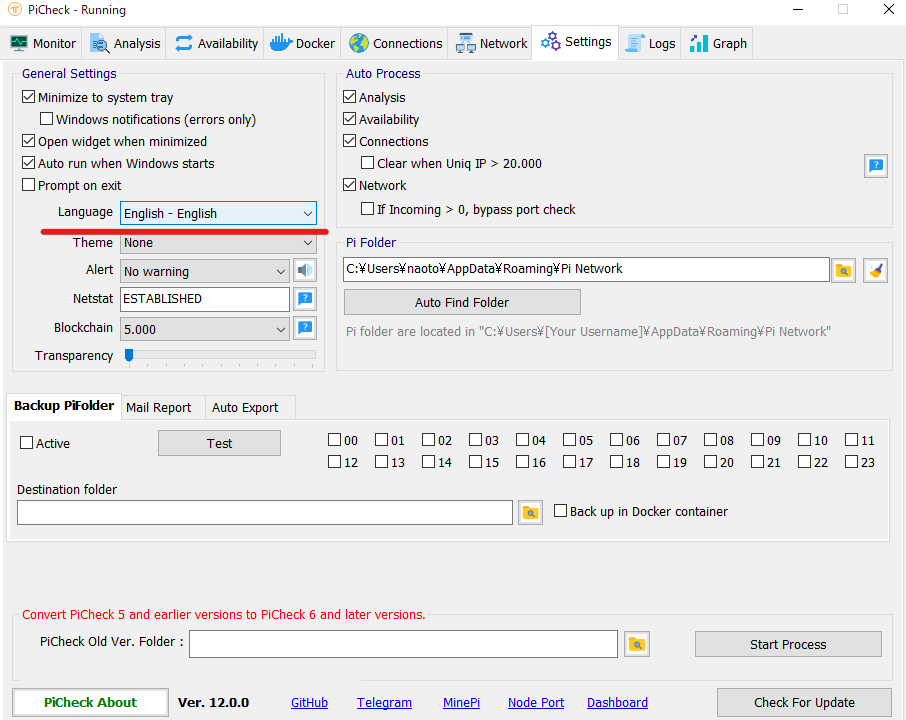
When the screen changes, click Language in the blue section below.
Select 日本ーJapanese. It will be immediately reflected and displayed in Japanese.
Also, clicking Check for Updates in the bottom right seems to check for the latest version and update it.
Once the initial setup is complete, statistics will be automatically collected.
It’s convenient because the app doesn’t close even if you press the ✗ button.
Others
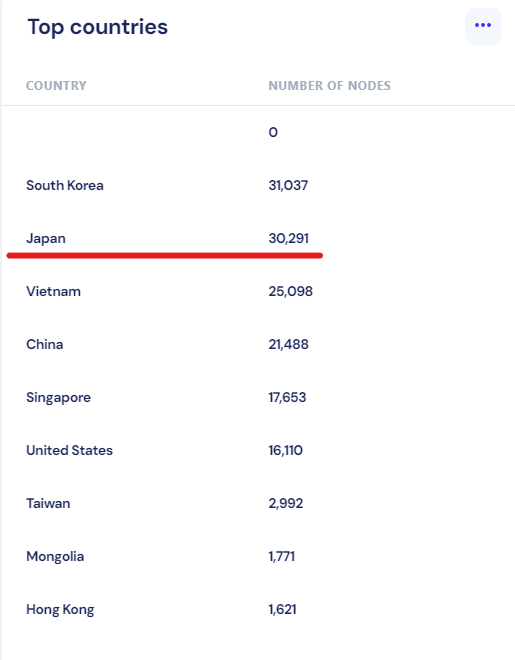
When I opened the Pi node operation ranking by country, Japan had somehow become 2nd.
I hope they continue this trend and aim for 1st place in the ranking.
(As of March 17, 2024)
(As of 2023/6/11)
You can view the ranking here.
https://dashboard.pi-blockchain.net/
Keywords appearing in the article and their explanations
- Cryptocurrency: Electronic currency traded on the internet. Bitcoin and Ethereum are famous examples.
- Mining: The process of adding new blocks to the blockchain of a cryptocurrency. If mining is successful, you receive cryptocurrency as a reward.
- Blockchain: A decentralized database that records the transaction history of a cryptocurrency. The blockchain is designed to be difficult to tamper with or forge.
- Pinetwork: A cryptocurrency that can be easily mined on a smartphone. It was developed by PhD students at Stanford University.
- Pi: The unit of cryptocurrency for Pinetwork. It is scheduled to be listed on exchanges in the future.
- Pi Node: Connecting your PC to the network to support the Pinetwork blockchain by generating and verifying blocks. Becoming a Pi node has benefits such as increasing Pi mining speed and contributing to the network’s security and decentralization.
こんにちわ、こちらの「可用性」が00.00%になってしまい、7日経っても表示されないので困っています。ノードボーナスも「0.0003…」とかほぼ無いような状態です。
もし解決法をご存じでしたらお伺いしたいです。
ポート開放は問題なくできており、同期もとれており、Inも最大4つきました。
コメントありがとうございます
遅くなり申し訳ございません。
色んな原因が考えられますが、
①dockerのバージョンとPIノードの相性が合わない
②ネット回線が不安定
③常にノードが起動している
(↑②と③は同期取れてるなら考えづらいですね)
です。
私の入っている考えられるコミュニティで質問してみます。
こんばんは。お世話になっております。
このサイトが大変分かりやすく、参考にして設定させて頂きました。ありがとうございます。
4日前から稼働させたのですが、実は私もoutgoing 8 Incoming 60 と動いてはいるのですが、「可用性」が00.00%となっており、ボーナスにも反映されていない状態です。
もし何か原因や解決方法などおわかりでしたら教えて頂けると幸いです。
どうぞよろしくお願いいたします。
コメントありがとうございます。
可用性は運用を継続していると増えると思います。ノード運用の稼働率を表しているものでノードがどの程度運用できているか参考にする程度の数値です。数値が高ければ安定運用しているという見方となります。
ノードボーナスは今のところ私も付いていません。おそらく今は皆ついてない状況だと思います。ノードのアナウンスに遡ってボーナスを付与するようなメッセージがありますので継続して良いと思われましたらそのまま運用することをオススメします。
NAOさん
こんばんわ。お世話になります。いきなりのご質問で申し訳ありません。
もしご存じでしたら教えてください。
Outgoing,Incomingとも数字が増えており、ノードして問題なく稼働していると思っているのですが、Picheckのログにてずっと以下のWarningレベルのメッセージが出ております。
【Availability Warning The necessary information could not be obtained. Please check the Pi Folder value on the Settings page.】
Piのフォルダに必要なデータがない!って言ってるようなのですが、このメッセージが出たことございますでしょうか?まだ、稼働して3日なので必要なデータがないのかなとも思っているのですが、なにかご存じでしょうか?(ボーナスは追加されているのでPiNodeとしては問題なさそうです)
もしお読みいただき、わかることがあれば教えていただければと思います。
鏡月さんこんばんわ
私の環境では出てきたことないです。
大本のノードが運用していれば問題ないかと思います。
何のデータが不足しているか気になってしまいますね。
Picheckの再インストールしてみてはいかがでしょうか?
NAOさん
ありがとうございます。
ちょっとそこいら試してみます。(再起動とか含め)
ご対応ありがとうございました!
頑張って下さいー!